How ClassMap turns classroom observations into useful student insight
Capture engagement, effort, mood, participation and classroom patterns during lessons, then turn them into analytics, reports and early support signals.
Teacher-led. Privacy-first. No cameras, microphones, biometrics or screen monitoring.
How ClassMap works in one lesson
Set up your class
Create classes, add students and organise your classroom.
Start a live session
Open a lesson session and capture quick classroom events.
Log what teachers already notice
Record engagement, mood, effort, participation, persistence and social moments.
Review patterns
See class, student and seating insights after the lesson.
Act earlier
Use reports, alerts, seating suggestions and School Pulse to support students sooner.
Set up your class
Create classes, add students and organise your classroom.
Start a live session
Open a lesson session and capture quick classroom events.
Log what teachers already notice
Record engagement, mood, effort, participation, persistence and social moments.
Review patterns
See class, student and seating insights after the lesson.
Act earlier
Use reports, alerts, seating suggestions and School Pulse to support students sooner.
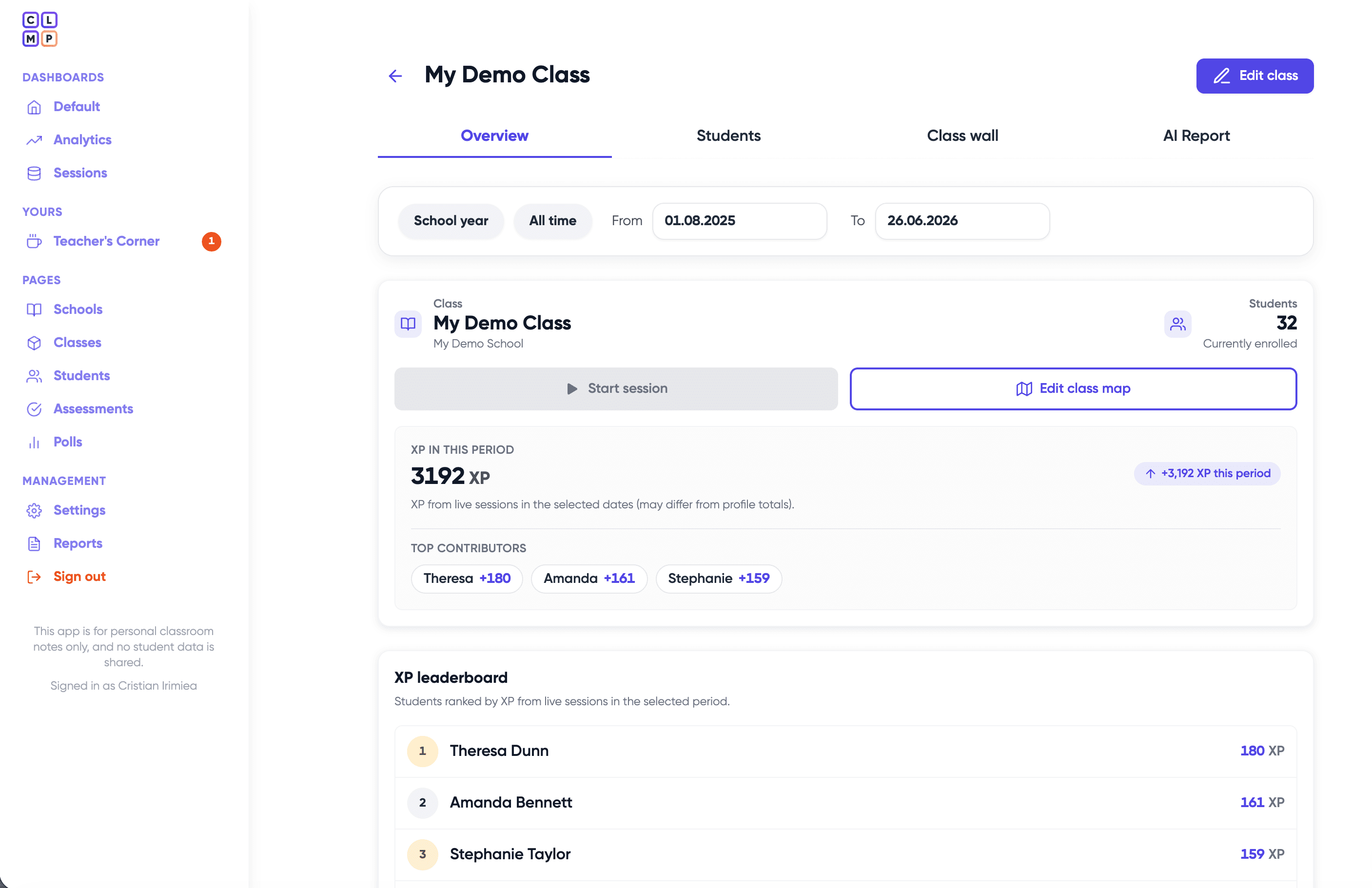
Class management
Create classes, add students and keep classroom observations connected to the right group.
Best for: Teachers who manage multiple classes or student groups.
Related features:
- Student list
- Class overview
- Import students
- Demo class
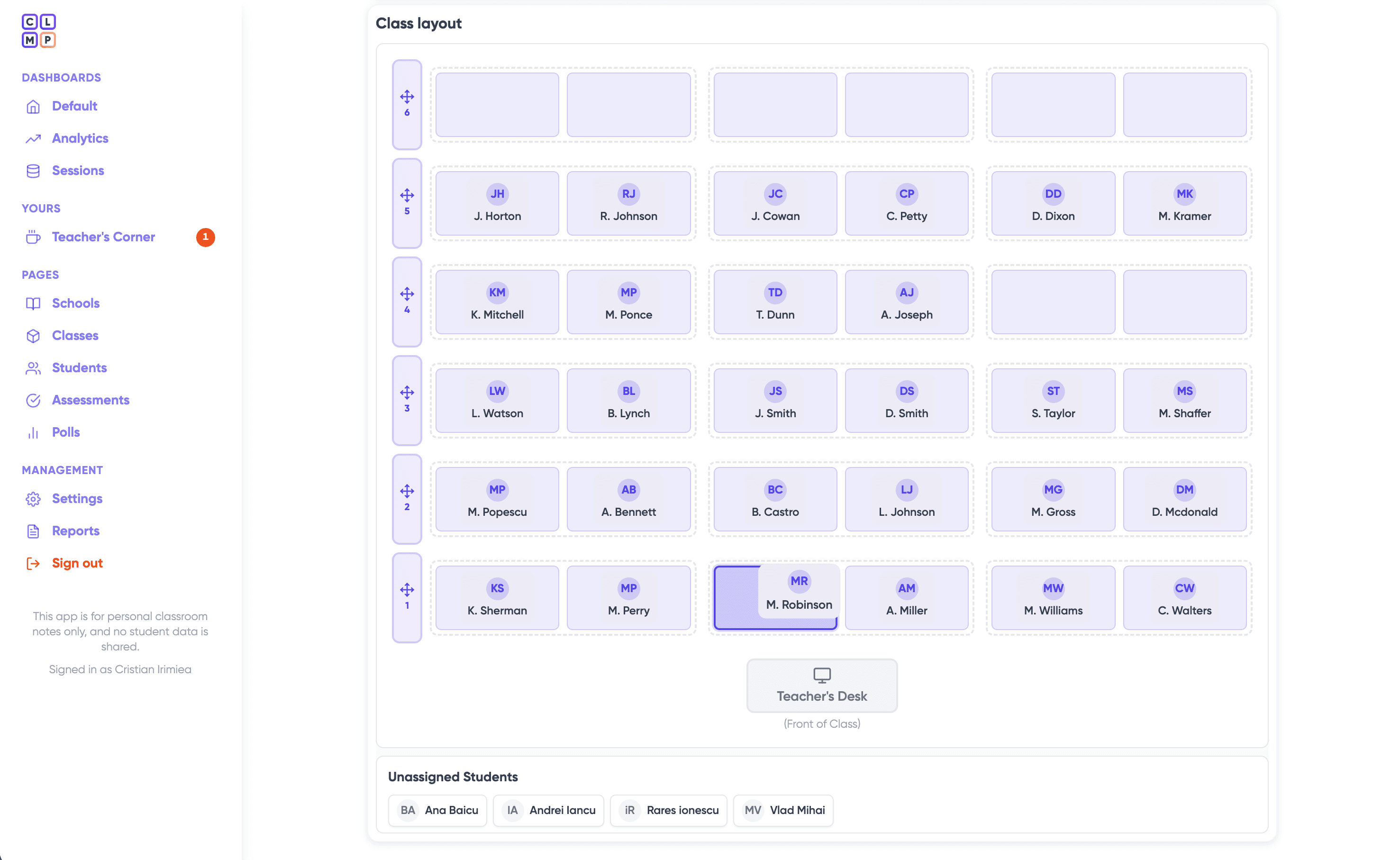
Create seating maps that reflect the real classroom.
Flexible seating charts
Build classroom layouts that match the real room. Arrange rows, columns and benches, then assign students to their seats.
Why it matters: Teachers can connect classroom observations to where students actually sit.
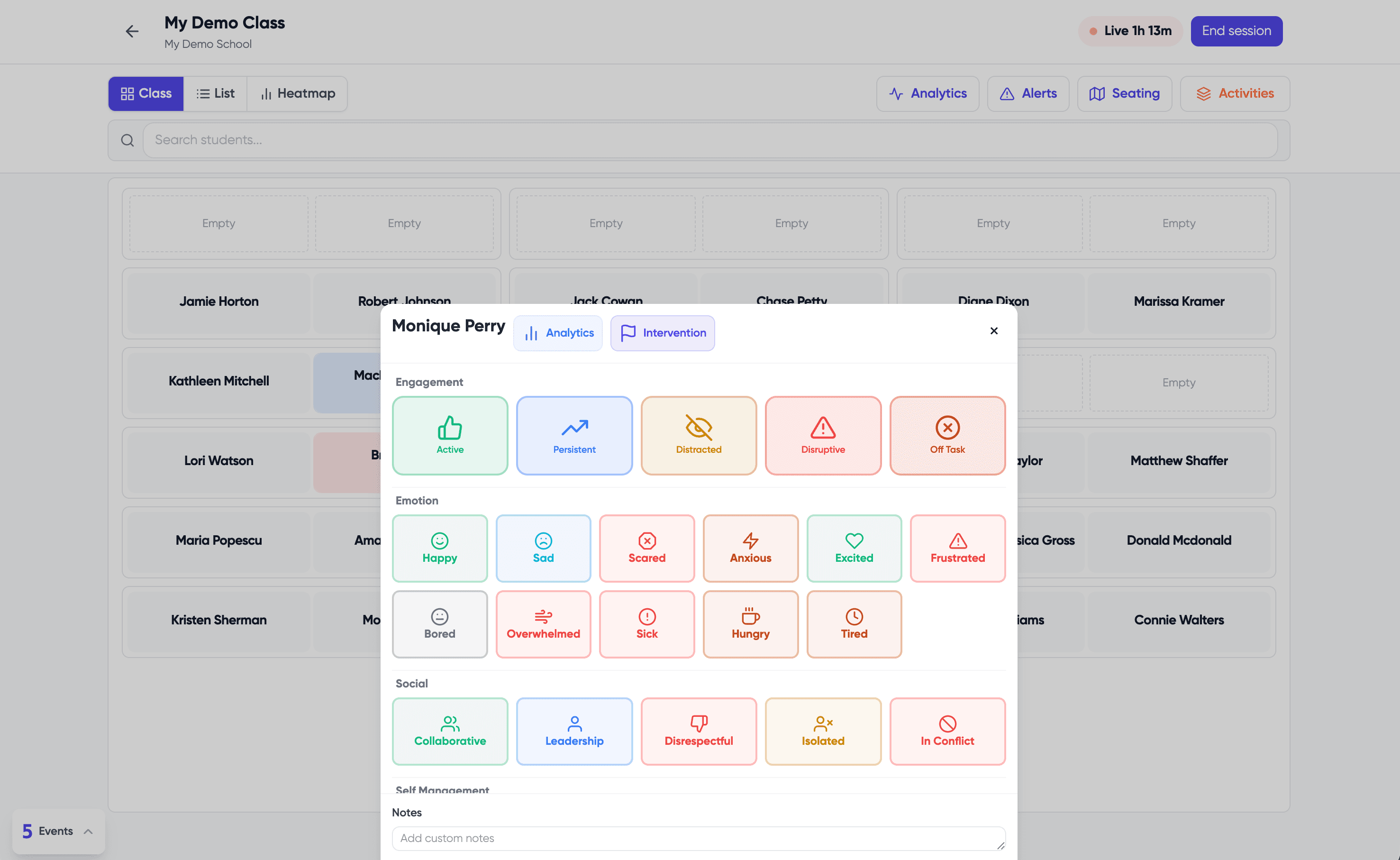
Live classroom observation
During a lesson, teachers can quickly log important moments:
- Active participation
- Distraction
- Persistence
- Mood
- Collaboration
- Social behaviour
- Work preference
- Support signals
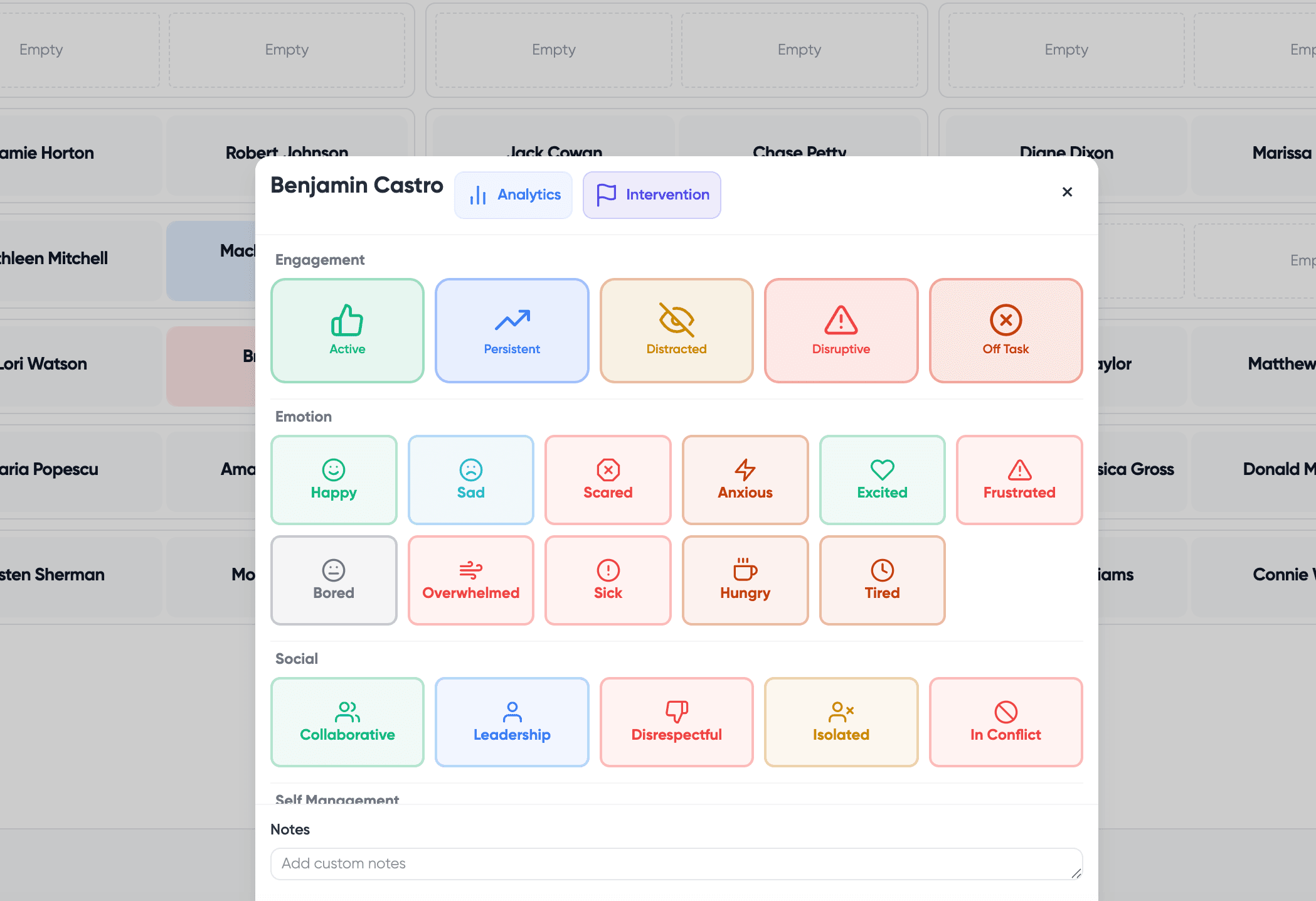

Track engagement, mood and participation
ClassMap turns small classroom moments into structured patterns across students, lessons and classes.
Useful for:
- Spotting quiet disengagement
- Understanding class energy
- Seeing who participates often
- Noticing students who may need support
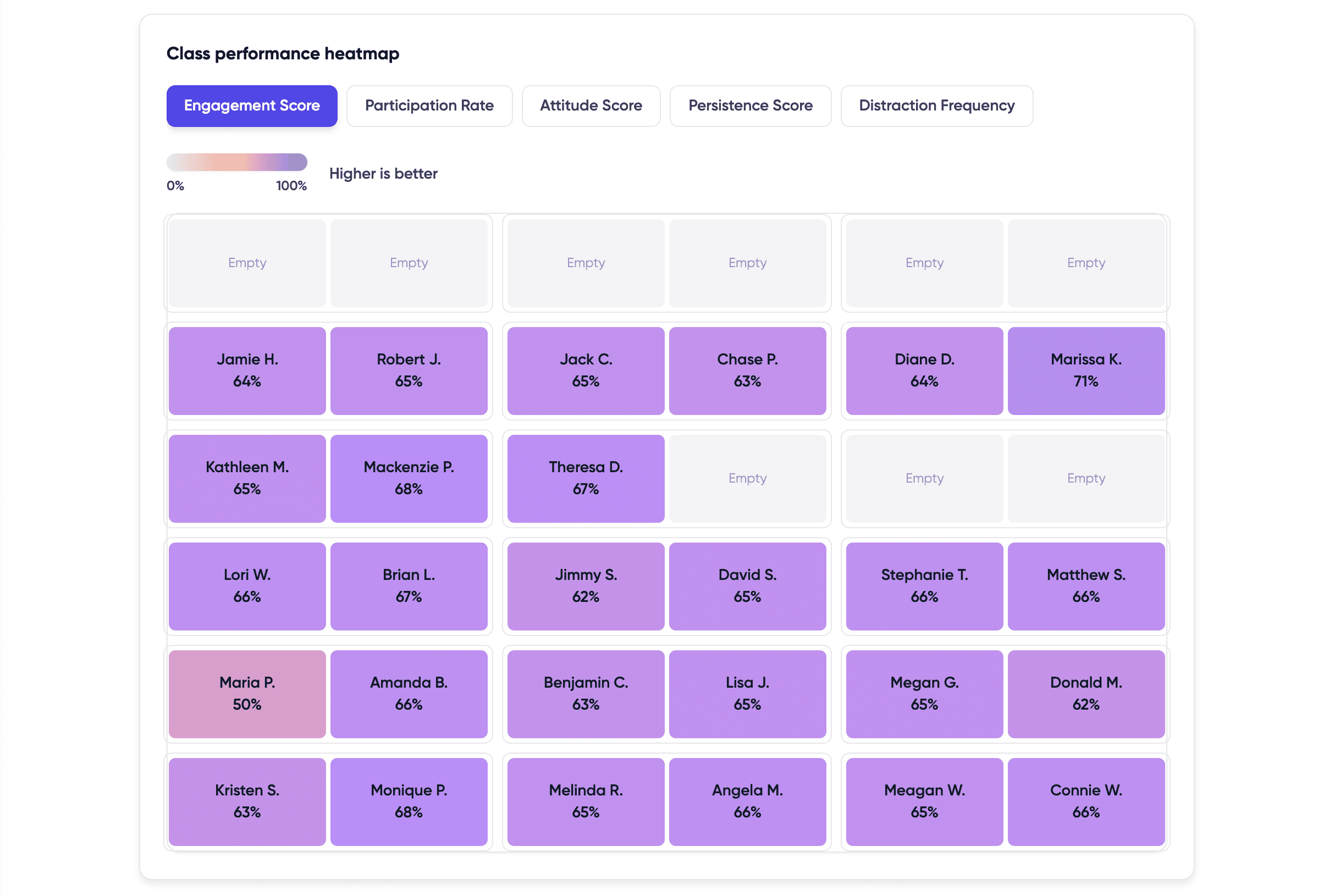
See patterns by seat, student and classroom zone
ClassMap helps teachers understand how engagement, persistence, participation or distraction appears across the classroom layout.
Use it for:
- Reviewing seating impact
- Noticing classroom zones
- Identifying students who are often missed
- Supporting smart seating decisions
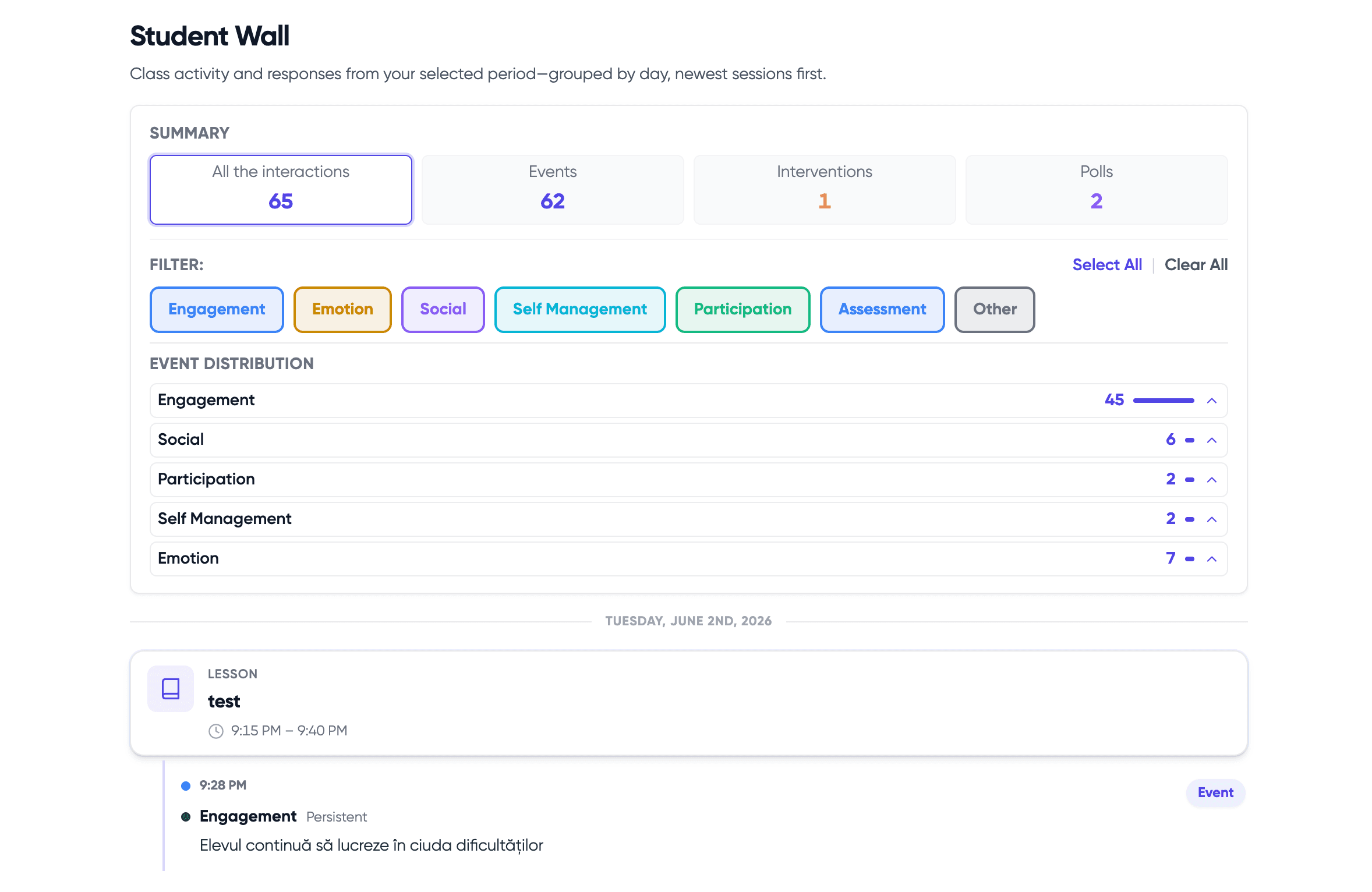
Understand each student beyond grades
Student profiles show engagement, participation, mood signals, persistence and behaviour patterns over time.
Why it matters: Teachers get a fuller picture of each student based on everyday classroom observations.
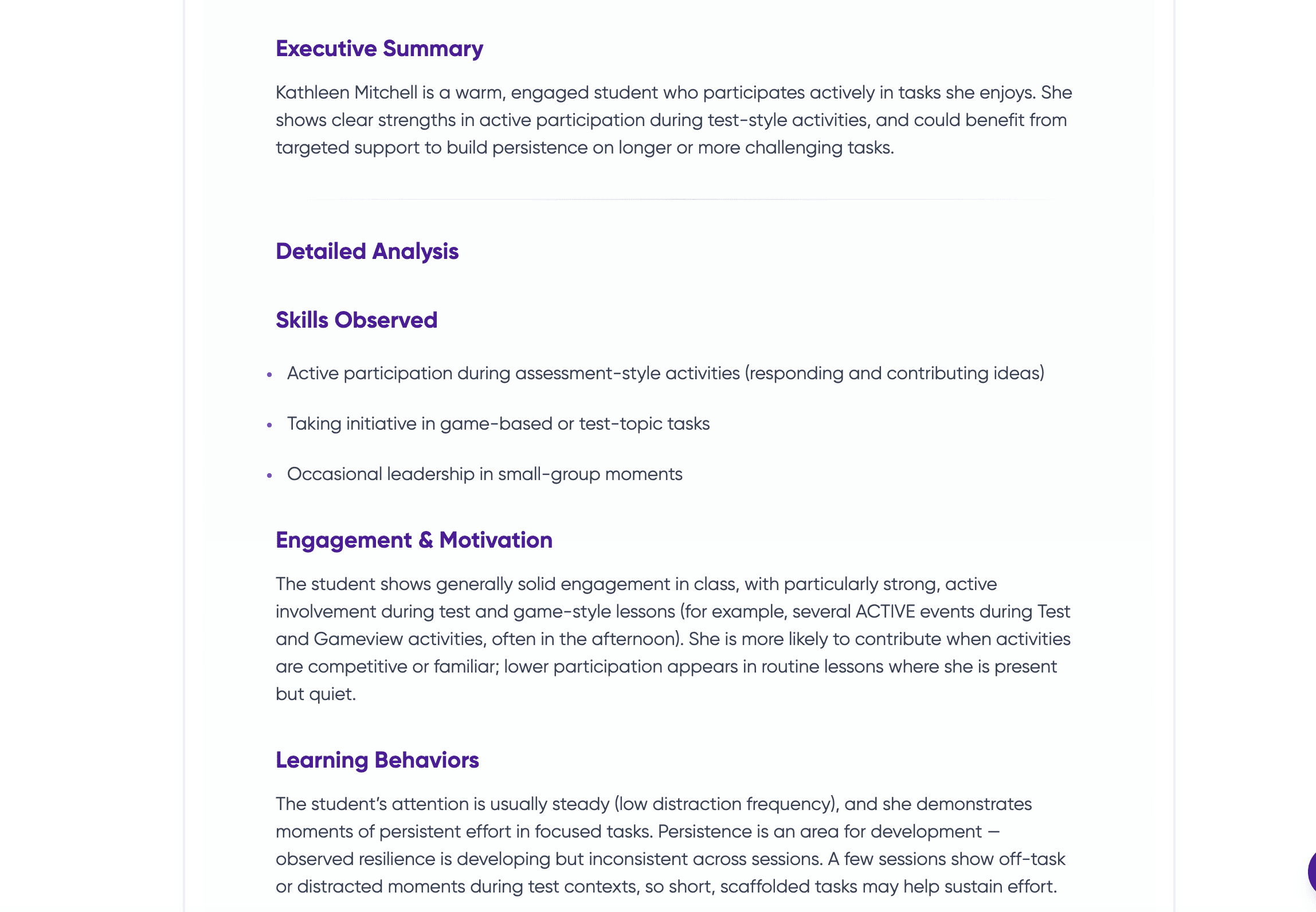
AI-assisted student and class reports
Generate structured reports from teacher-entered classroom observations. Teachers review, edit and decide what to use.
Reports can support:
- Student reflection
- Parent conversations
- Class planning
- Pastoral discussions
- School leadership visibility
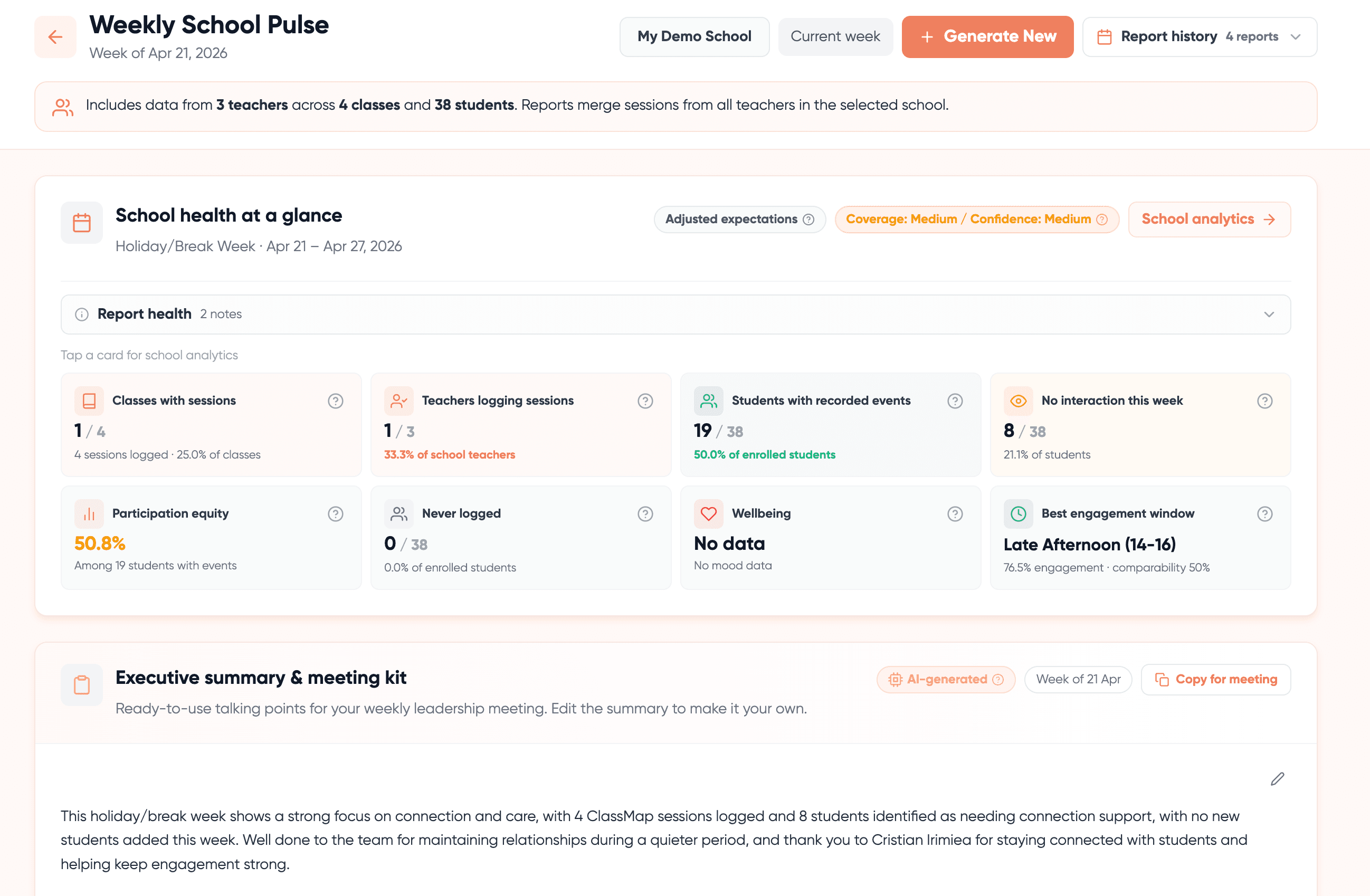
Weekly School Pulse
Give school leaders a weekly view of classroom activity, student reach, silent students, teacher adoption, wellbeing signals and engagement patterns.
Why schools use it: School leaders get earlier visibility without adding surveillance or heavy admin.
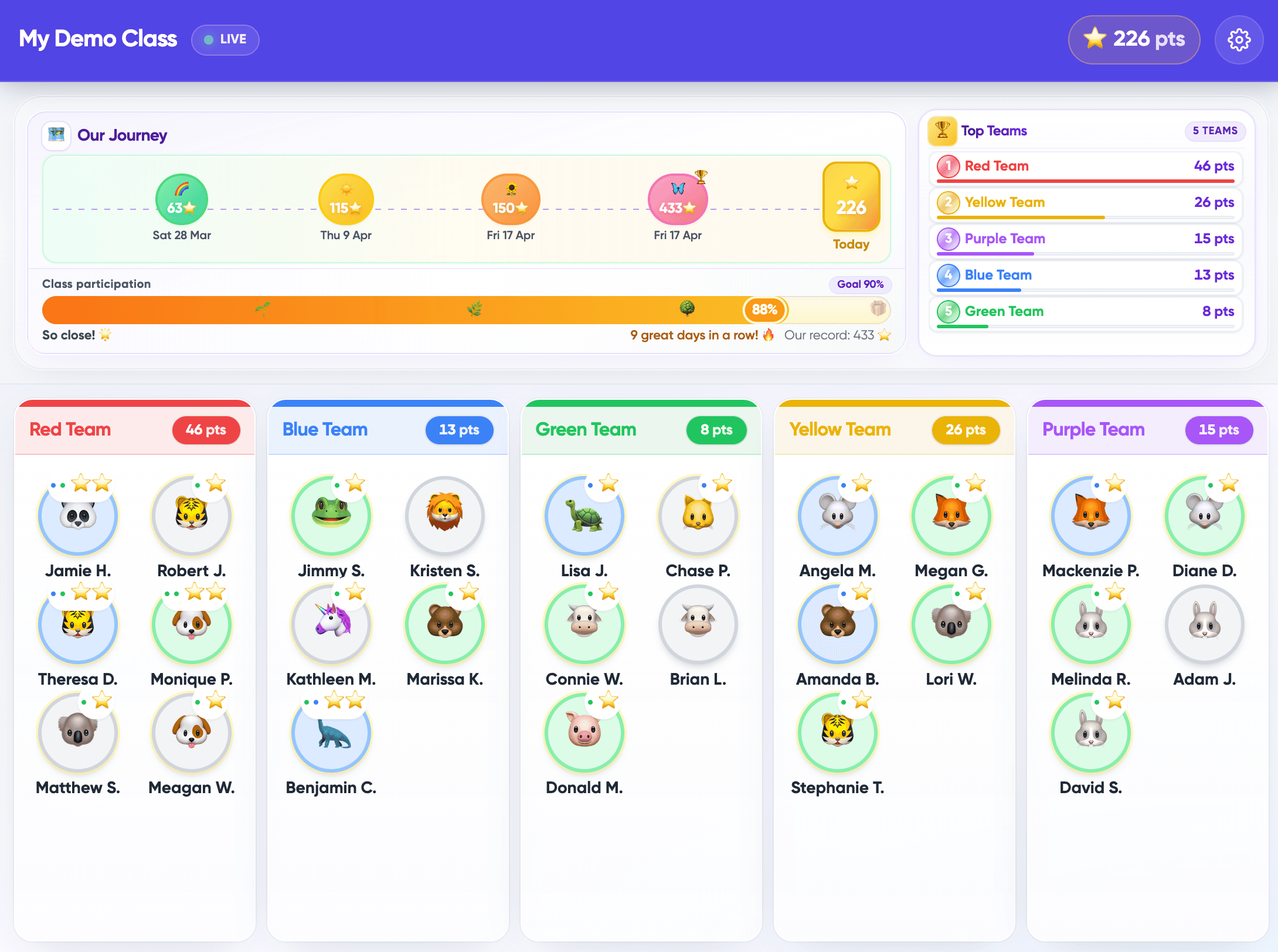
Positive classroom motivation
Use class points, team progress and positive feedback to make participation visible.
Best for: Primary classrooms, younger students and teachers who want a lighter motivation layer.
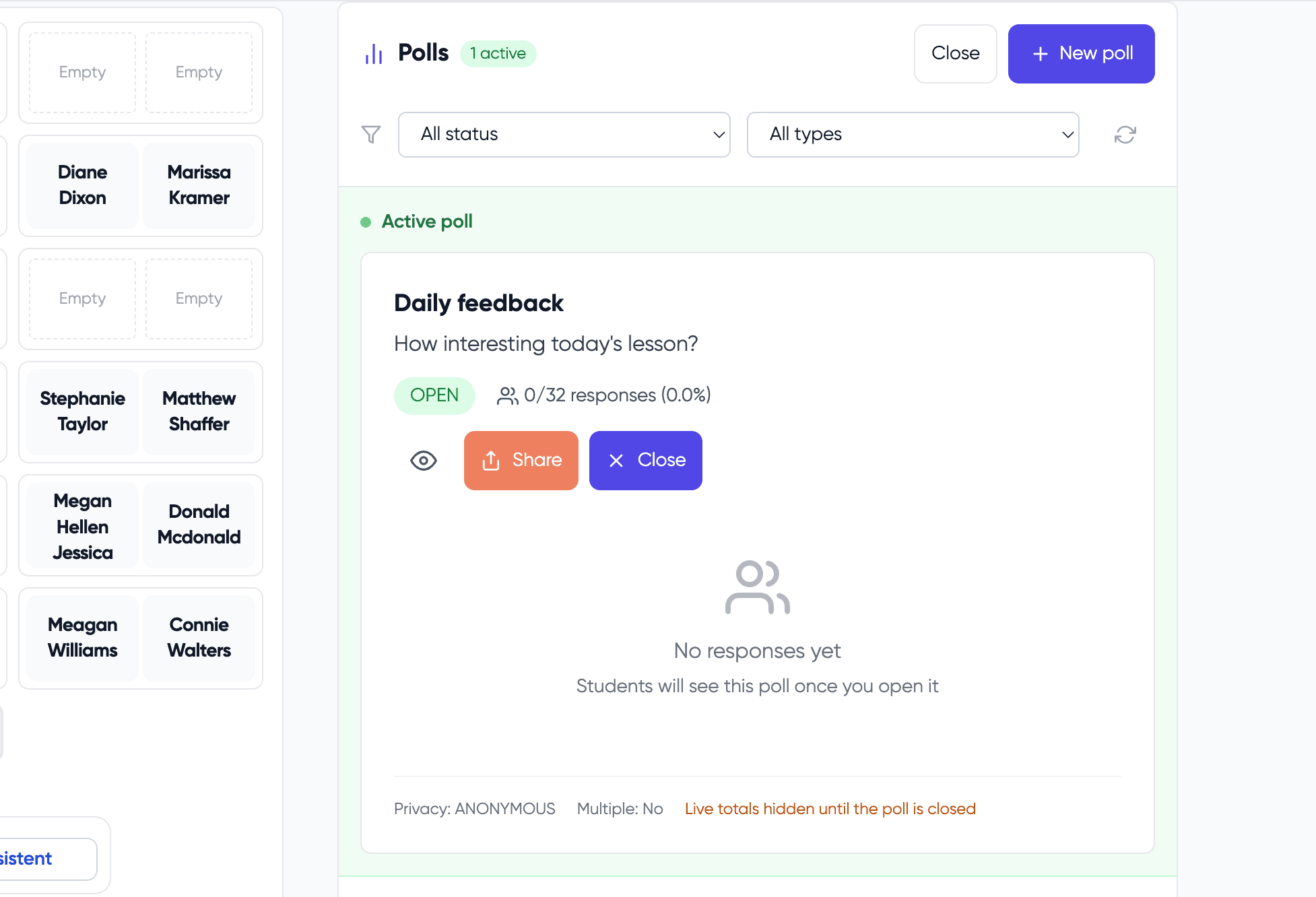
Polls and classroom check-ins
Run quick polls to understand how students think, feel or respond during learning.
Useful for:
- Lesson feedback
- Emotional check-ins
- Understanding confidence
- Quick class decisions
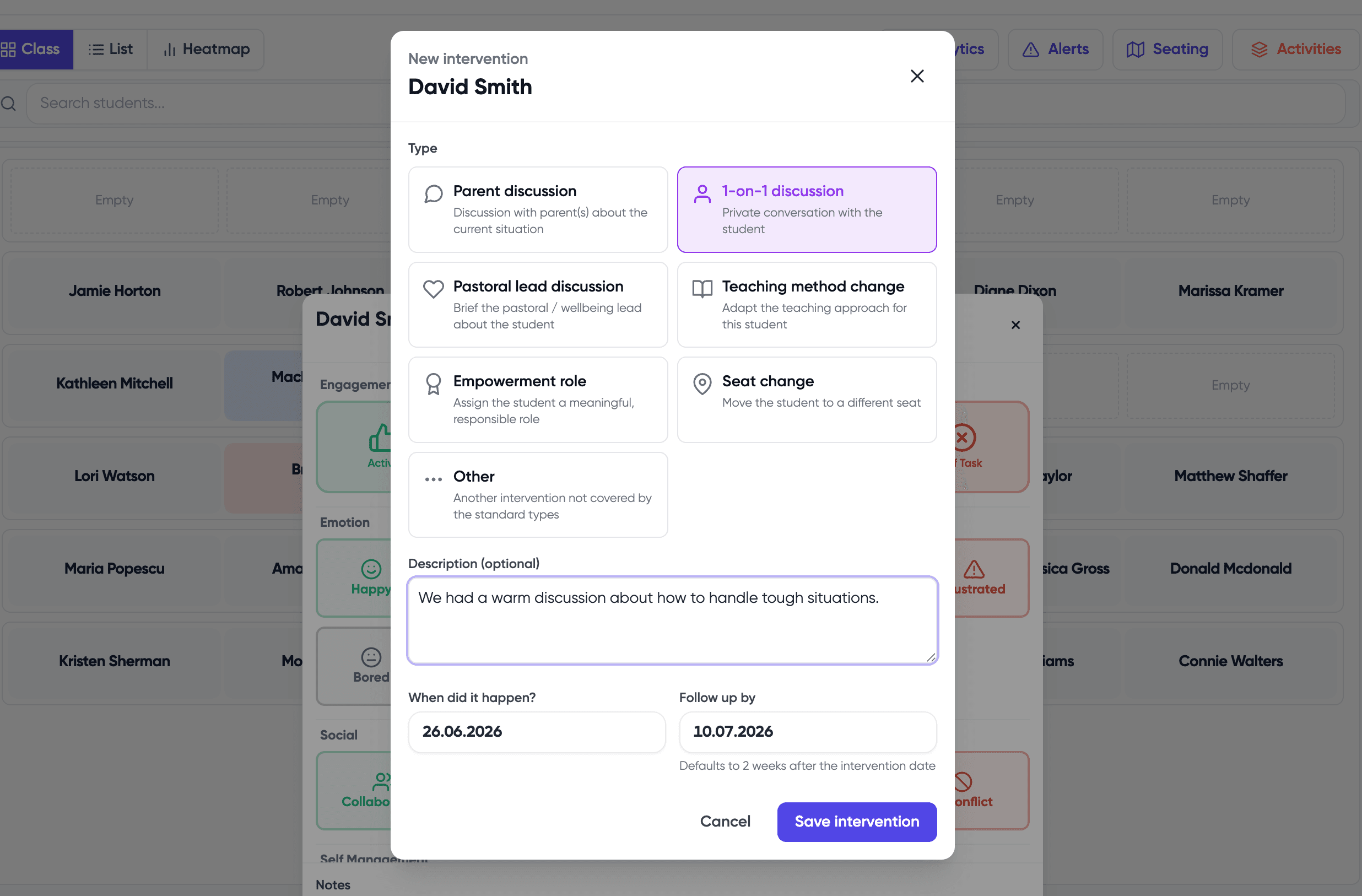
Turn insight into support
ClassMap helps teachers move from observation to action through alerts, intervention notes and support suggestions.
Examples:
- Students with low participation
- Students not logged recently
- Recurring distraction patterns
- Wellbeing signals
- Engagement drops
Capture what you already notice
Reduce the mental load of remembering everything across lessons and classes.
Earlier visibility
Important classroom moments become visible earlier, not only after grades or incidents.
Clearer leadership visibility
Leadership gets clearer visibility into engagement, wellbeing and classroom patterns.
Built for trust, not surveillance
ClassMap is teacher-led and privacy-first.
No cameras
No microphones
No biometrics
No screen monitoring
Teacher-reviewed AI
School-level visibility without replacing teacher judgement
Frequently asked questions
Ready to see what your classrooms are telling you?
ClassMap helps teachers capture small classroom moments and turn them into early support, clearer reports and school-level visibility.
Teacher-led · Privacy-first · AI-assisted, teacher-reviewed reports