A simpler way to keep your class engaged.
Log key classroom moments in two seconds, show points and feedback as you teach and get a weekly summary without extra admin.
Built for trust and transparent AI use
- No cameras, no microphones, no biometrics.
- Teacher-led inputs and editable AI outputs.

How it works in one lesson
1) Tap a stamp in two seconds
Log a classroom moment quickly without breaking the flow of your teaching.
2) Students see feedback live
Points and feedback appear instantly, giving students recognition they can respond to in the moment.
3) You get a weekly signal summary
Leave with a clear class recap so patterns are easier to spot, share, and follow up.
After class, you still leave with clear signals
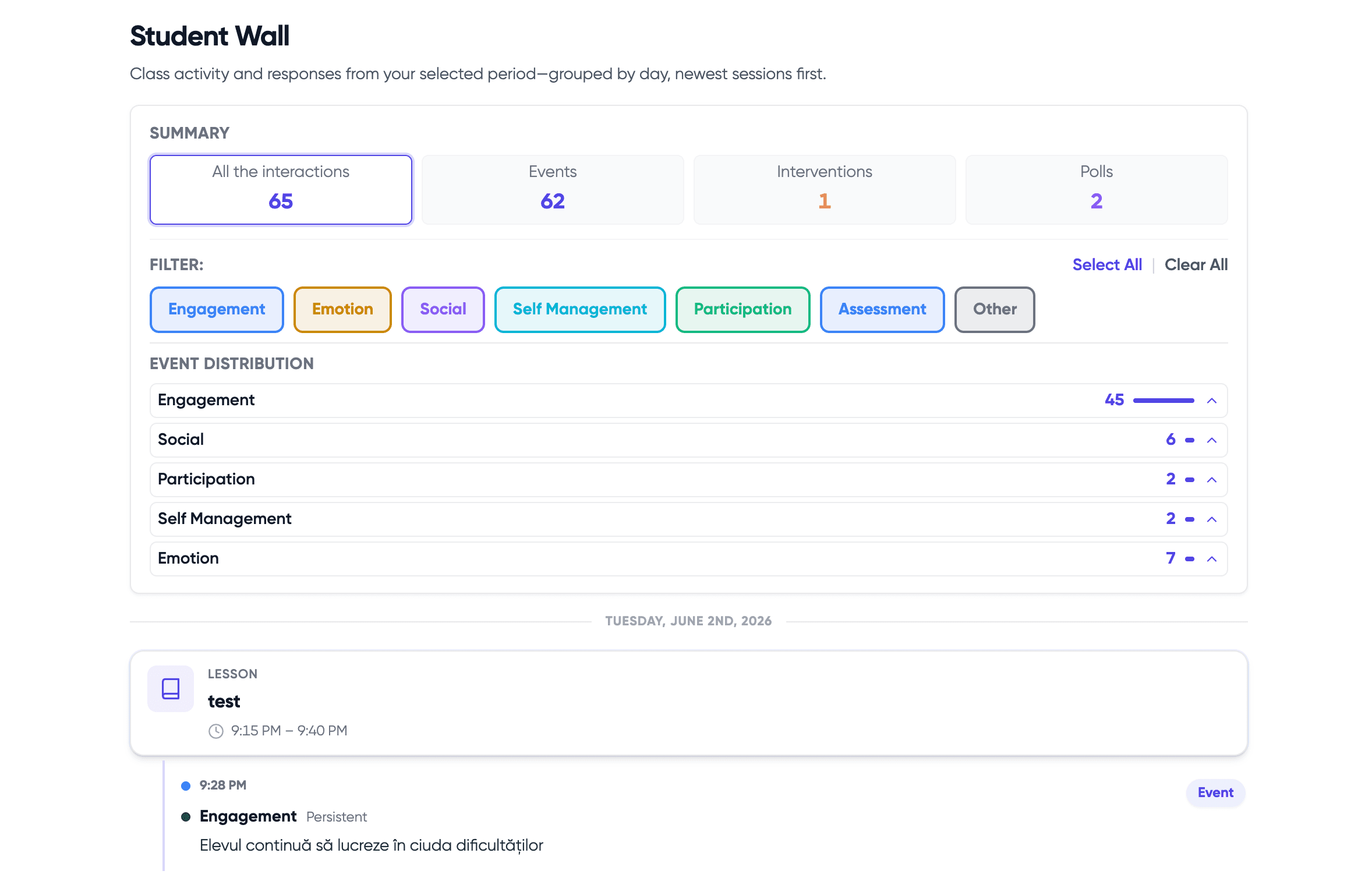
ClassMap.io keeps the workflow light during lessons, then gives you a simple weekly recap so participation and support signals are easy to act on.
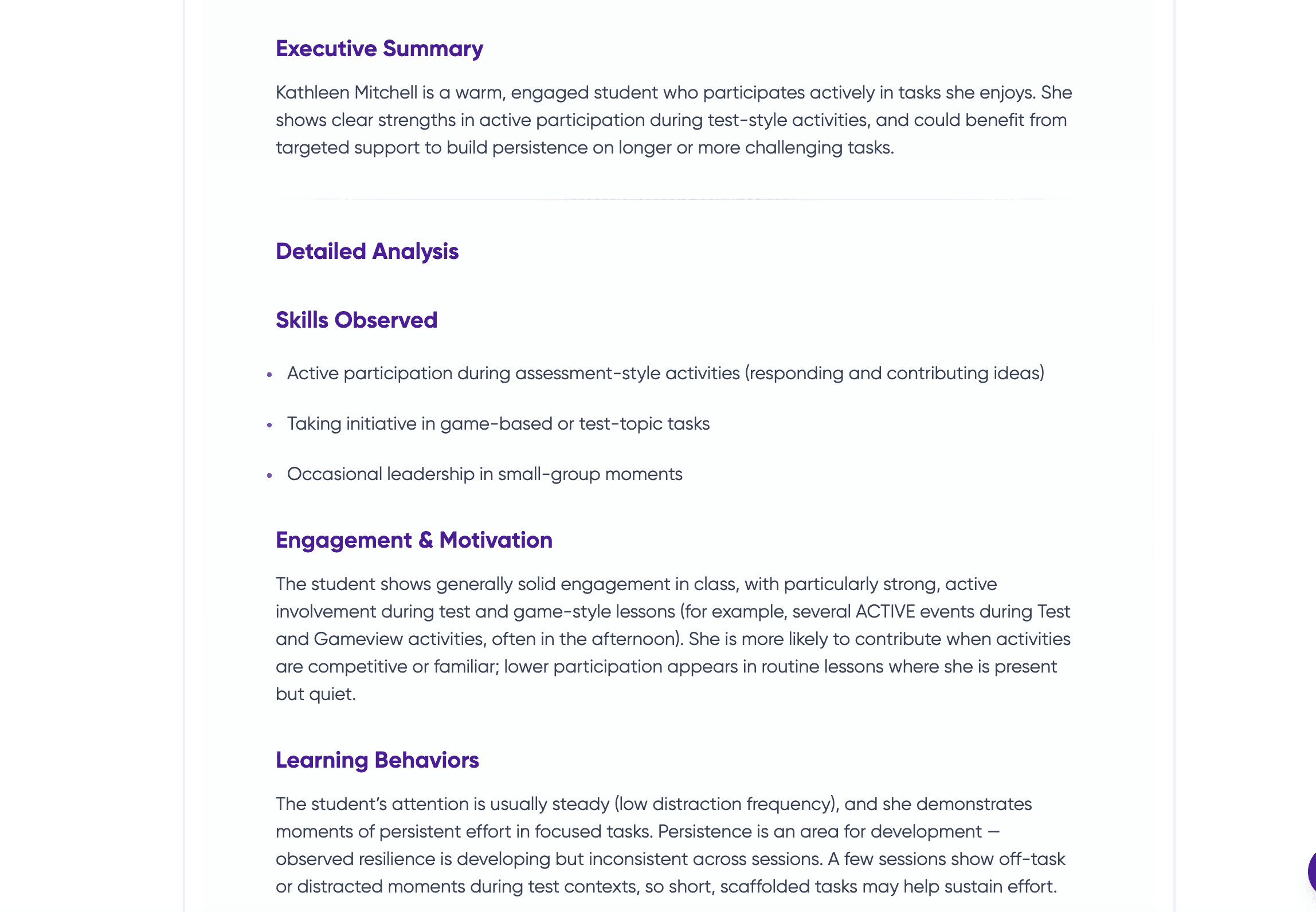
Lesson recap
Leave class with a simple picture of what happened
Participation visibility
Spot who engaged and who may need support next time
Check-ins over time
Track patterns lightly without carrying it all in your head
What teachers feel after trying it
“The kids got into it immediately.”
“It motivates students while helping me track the lesson lightly.”
That is the experience ClassMap.io is designed to create.
The moment ClassMap.io appears, students pay attention
The gameboard turns recognition into something visible. Students see progress live. Teachers reinforce effort in the moment. The class feels it immediately.
This is where ClassMap.io starts: visible motivation first, clearer classroom insight second.

Quick moments
Recognise effort, participation and positive moments in under 3 seconds.

After-class snapshot
Finish the lesson with a clearer picture of who engaged and who may need attention next time.

Reports you can use
Keep lightweight records that are easier to revisit for reflections and reports.
Tap the phone to move to the next screen
Start small. Test it in a real classroom. See what changes.
How ClassMap.io fits into the lesson
Open your class, tap live points or stamps, and leave with a clearer recap.
Step 1: Open your class
Start the lesson with your class ready on screen. No setup before every lesson and no complicated workflow to remember.
Too much happens in a lesson to remember it all
Classrooms move fast. Teachers juggle participation, behaviour, pacing and support all at once. Important moments get missed, and most tools feel like one more thing to manage.
Built to work inside the lesson, not on top of it
ClassMap.io helps teachers motivate students live, capture key moments lightly, and keep more clarity without extra admin.
Built for the real concerns teachers have
I don't have time.
That is exactly why ClassMap.io is lightweight. Logging takes seconds, not minutes.
It looks hard to configure.
No setup before every lesson. Open the class and use it live.
It will distract me during the lesson.
ClassMap.io is designed to support classroom flow, not interrupt it.
What teachers get from ClassMap.io
More engaged students
Live recognition helps students respond, participate and stay involved.
Less mental juggling
Track key moments as they happen instead of trying to remember everything later.
More consistent visibility
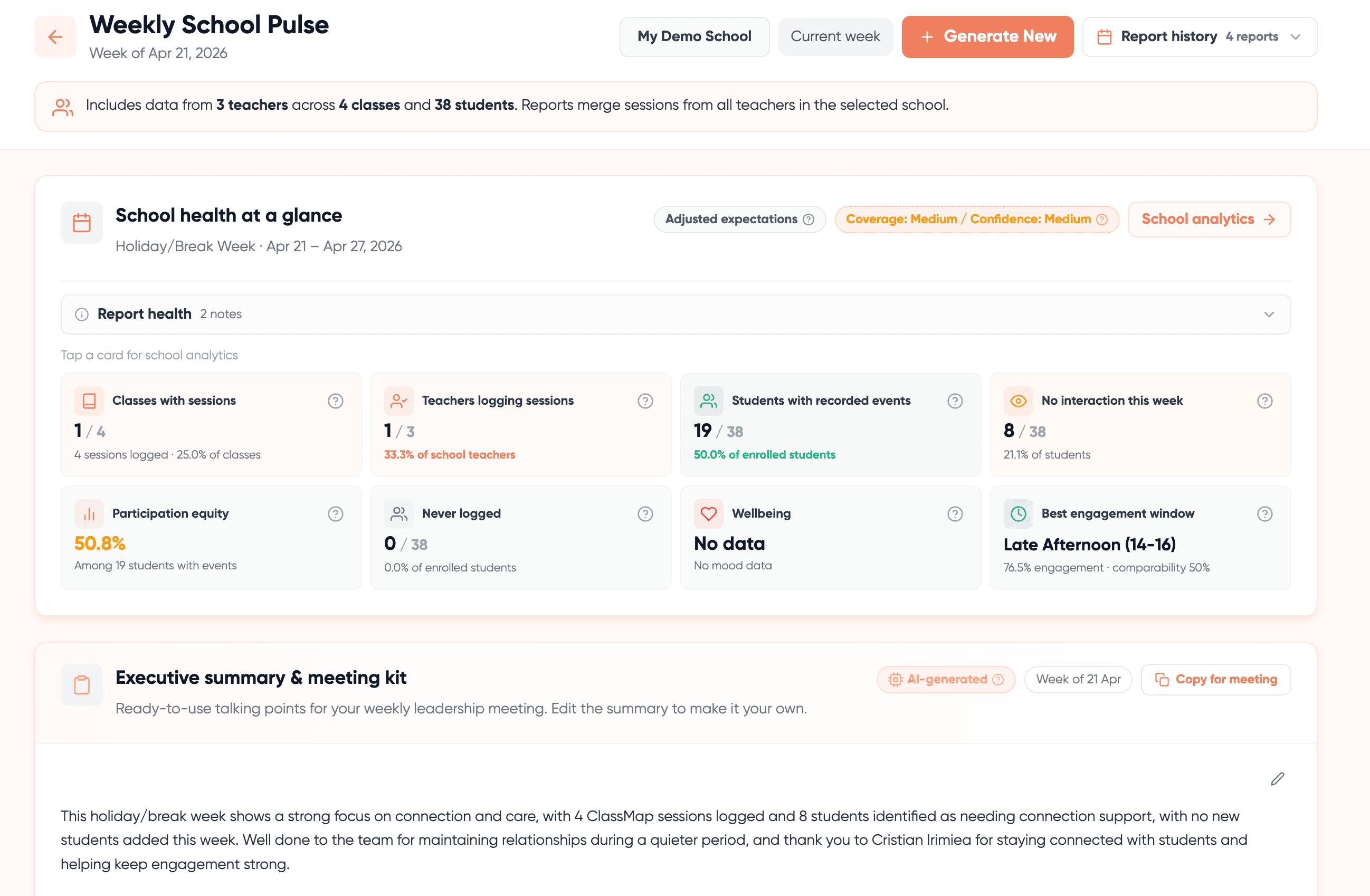
See patterns in participation and classroom activity more clearly over time.
Simple teacher pricing
Start with Teacher Core for daily classroom workflows, then upgrade to Teacher Pro when you want deeper post-lesson insights.
Teacher Core
Core classroom tools for everyday teaching.
Cancel anytime
Core tools
- Unlimited classes
- Dynamic seating maps
- Manual engagement tracking
Insights
- Class heatmaps & trend graphs
- Export class and student reports
Teacher ProMost Popular
Less admin after class. More time for what matters.
Cancel anytime • 30-day free trial
AI insights
- Reports that reduce your after-class workload
- Smart seating suggestions
- Gentle wellbeing & engagement nudges
Meeting-ready
- One-click DOC for parents & SLT
Everything in Teacher Core
School Visibility
Looking at this for your school?
Scale & control
- All features (Core + AI) for every staff member
- Admin dashboard & user management
- Cohort-level trends (class / year / school)
Support
- XLS import & setup help
- Priority onboarding & success call
Start with Teacher Core, then unlock Teacher Pro when you are ready.
Learn more
Start with clarity. Upgrade with confidence.
Choose the teacher tier that fits your workflow, then scale to school support when needed.
Questions Teachers Ask
Built for trust: no cameras, no biometrics, no hidden surveillance, and always teacher-led classroom inputs.